
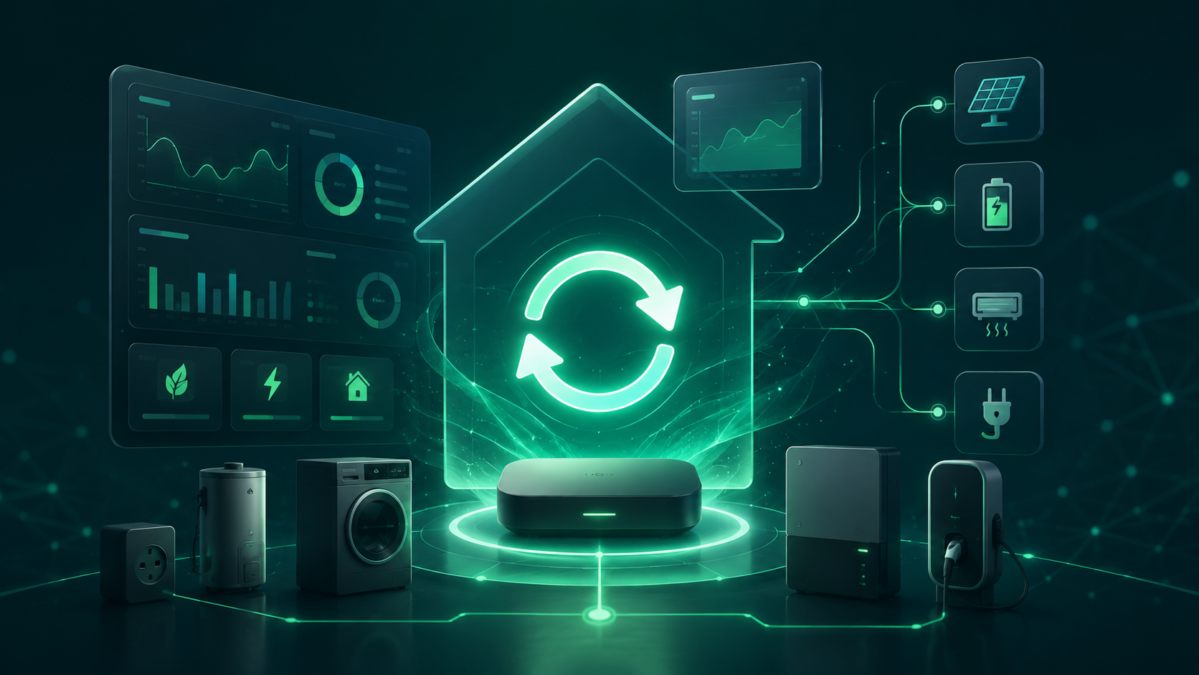
homeESS features
Hier klicken für die deutsche Fassung.
homeESS combines energy monitoring, forecasts and load control in one local, self-hosted system. Pages are rendered by the server and provide dedicated desktop and mobile layouts.
User interface and access control
- Responsive desktop and mobile interfaces with touch-friendly navigation,
dialogs and dashboards.
- Login with persistent sessions, user selection and the roles Read, Operate
and Write. Administrators retain unrestricted access.
- Multiple dashboard tabs with configurable value, switch and information
widgets. Groups and widgets can be arranged using drag and drop.
- System-wide language selection with German and English catalogs. Adapters can
provide their own language files.
- Per-user color theme: light, dark or dark dashboard only. Only the page work
area changes color — the title bar and side menu keep their colors in every theme.
Energy monitoring
- Energy overview as the entry point to the energy pages: key figures from
photovoltaics, electricity consumption, battery, forecast and – when enabled – grid control on one page, each linking to its sub-page.
- Electricity-consumption dashboard for self-consumption, grid import, export
and daily, weekly and annual energy values.
- Raw meter handling that counts deltas safely and avoids jumps after meter or
MQTT-topic changes.
- Management of multiple photovoltaic plants including live power, yields,
converter and cell metadata and clear-sky reference power.
- Solar-position calculation using local solar time, configurable reference
thresholds and direct-sun detection.
- Open-Meteo PV forecast for today and the following six days, including
per-plant self-calibration in 15-minute windows.
- Battery dashboard for state of charge, power, voltage, temperature,
efficiencies, capacity and configurable minimum state of charge.
- Bidirectional synchronization of selected settings and live header indicators
for battery, power, temperature, time and operating state.
Forecast and operating strategy
- Four-day energy forecast combining PV production, learned consumption,
battery limits, configurable reserves and scheduled loads.
- Learned base consumption, weekday profiles, temperature-dependent heating or
cooling demand and separate wallbox demand models.
- A central operating-level handler gates all registered consumers by priority.
- Emergency and autonomy states, hysteresis and persistent state prevent unsafe
switching after restarts or incomplete measurements.
Weather forecast
- Dedicated page showing current conditions and the next three days in full
detail: temperatures, precipitation, wind, UV index, solar irradiance, cloud cover, pressure, humidity and sun times — grouped by topic (one column per topic on desktop, tiles on mobile), every value with a pictogram and an hourly strip per detailed day.
- Trend chart across the whole period: temperature and solar irradiance as
lines, precipitation as bars behind them.
- The expected daily PV yield from the PV forecast appears in each detailed
day's title and in every row of the remaining days.
- Dedicated phone layout: tighter spacing, a narrow chart variant and the hourly
strip in three-hour steps — nothing scrolls sideways.
- Remaining days follow as a compact overview with the essentials per row.
- Dashboard weather widget: shows either current conditions or a single
forecast day; the values it lists are ticked per tile. The tile lays itself out according to the width of its group — single column in a quarter group, multiple columns in a full one.
- All values are exposed as states in the Wetter system group and can be
used in conditions, automations, output and dashboard widgets.
Measuring and switching loads
- Freely configurable measuring or switching devices with MQTT topics for
command, remote synchronization, status, power and energy meters.
- Nested groups, group priorities, virtual power derived from nominal ratings
and internal energy counters.
- Optional phase-specific load shedding controlled by Grid Control, including
staged shutdown and delayed recovery.
- Animated energy-flow diagram for PV, grid, battery, self-consumption and
nested consumer groups, including public read-only exports.
- Switch groups with drag-and-drop assignment, common switching, remote topics
and optional timers.
- Dashboard "chart" tile: up to four measurement series from the database as a
time series, covering 6 hours to 30 days, with a freely chosen color and legend name per line, current value and a crosshair readout.
- Central database connection for charts and analyses: an InfluxDB 1.x is
configured in the settings or adopted from the InfluxDB adapter with one click; external databases can be used as well.
- System-wide warning: faults that require user action appear as a red banner on
every page and are exposed as the states "Warnungstext" and "Warnung aktiv" under System / Betrieb until they are acknowledged.
Optional control modules
- Grid Control switches grid and inverter paths using verified readback,
configurable thresholds, hysteresis and an audit log. Only a fault that persists for minutes despite repeated retries is reported — sporadic dropouts raise no warning.
- Pool Control manages solar and filter pumps using schedules, temperatures,
solar conditions, priorities and learned energy demand.
- Wallbox Control supports multiple chargers, private, work and always-full
charging modes, vehicle state of charge, forecasts, priorities and metering.
- Home Cinema manages any number of freely named rooms. Each room exposes a
writable cinema-mode state under "System / Heimkino" and is available as a dashboard switch target. A room opens as its own page with separate action sequences for on and off: value assignments as in the conditions engine, pauses and freely nestable loops with drag-and-drop ordering. A loop can also verify at a fixed interval that the intended state was actually reached and repeat itself alone if it was not. An optional sync topic keeps cinema mode in bidirectional sync with an external topic; after a restart that topic's state wins and is adopted without running the action sequence.
- Heating & Climate manages any number of rooms, each with its own setpoint,
heating and cooling offsets and switching hysteresis. A room can have any number of temperature sources — several are averaged — and an optional thermostat keeps the setpoint in bidirectional sync. Open window and door An optional minimum cooling temperature keeps a night setback on the thermostat from waking the air conditioner: below that floor a room never cools. Open window and door contacts disable heating and cooling, either immediately or after a configurable delay. Heating and cooling devices are driven by the same action sequences as Home Cinema — value assignments, pauses and loops with cyclic verification, one sequence for "on" and one for "off" per device — so a split air conditioner needing mode, setpoint and power in order can be driven too. The devices as well as the central heating release are optional; without them the room only measures its temperature and exposes every value as a system value — under System in the Räume folder with one subfolder per room, named after the room (system://homeess/raeume.Wohnzimmer.temperatur) rather than numbered. If a room has an air conditioner for cooling, its state can be overridden by hand: under System in the Klima folder each such room gets a writable operating mode (0 = off, 1 = on, 2 = automatic, system://homeess/klima.Wohnzimmer.betriebsart) plus a read-only active value reporting whether the unit is currently running. "Off" and "on" suspend the automatic action sequences — the unit then reacts neither to an open window/door contact nor to the room temperature and stays in the state it was switched to. It returns to automatic once the room reaches its setpoint — and, if a per-room time of day is configured, at that time at the latest (the first occurrence after the switch counts; a restart catches it up). The operating level keeps precedence: if it does not cover the cooling device's priority, the unit stays off even in "on". The mode can be set either through the state or straight from the room overview, where every room with an air conditioner carries an on / off / automatic switch. Whether a room is served by its local device or by the central heating is decided by the outdoor temperature (system-wide or a dedicated source) against a per-room threshold. Each room can also drive a radiator fan that runs while the room requests heat from the central heating. Both local devices honour the operating level with a per-device priority; for the heating device an option lets the central heating step in whenever the level does not cover that priority — the outdoor threshold is then waived for that room. Central heating runs via Modbus/state or via a relay with mandatory flow and return monitoring, and it keeps three distinct states: boiler (the switch), burner (is it firing?) and pump. The boiler may only switch off once no room asks for heat and the burner is detected as off — either from the controller's feedback state or from the course of the flow temperature. An optional circulation pump on a second relay always starts before the boiler is allowed to run and keeps running for a configurable time after it. Burner runtimes count only what the burner actually fires — from its feedback state, or estimated from the rising flow temperature — and are turned into heating costs from consumption per operating hour and price per unit. A meter tile accumulates consumption and costs across a billing period up to the next meter reading, shows the monthly instalment and, on closing the period, optionally takes the actual meter reading — which can also calibrate the estimate. The chimney-sweep mode sets all rooms to 28 °C, keeps the local devices off and lets the central heating run. Each room also offers a boost: while it is active the setpoint and the cooling decision are bypassed and whichever heat source covers the current outdoor temperature range is requested at full output. It can be operated through the writable room state boost and through an optional boost topic that stays in bidirectional sync with it.
- The room overview of Heating & Climate carries a temperature chart: one bar
per room at the height of its current temperature, coloured by control state (green = holding, red = heating, either locally or by requesting the central heating, blue = cooling, grey = blocked). The line across the bar marks the setpoint and adjusts it by dragging with mouse, finger or arrow keys in steps of 0.5 °C; it requires the same write permission as the form in the room row. The handle below each name reorders the rooms within the chart (stored in heizung_rooms.position); the room list below stays alphabetical.
- Optional modules can be enabled or disabled from the settings page without
creating parallel server or authentication structures.
Adapters, states, automations and output
- Isolated adapter instances connect Modbus, Tasmota, Shelly, Homematic RPC,
hDP and additional portable integrations.
- Every hDP ARGB device can apply a device-specific dimming switch: when a
selected state equals the configured value, homeESS reduces the calculated output brightness by the configured percentage before sending it.
- Dashboard value tiles can carry a label of their own instead of the state
name; the tooltip then also names where the value comes from.
- The system-wide topic picker opens up to twice as wide whenever the screen
allows it, so long state names stay fully readable. It always expands towards whichever side has more room: fields in the lower half of the screen open the list upwards.
- The States page shows system values, custom states and adapter states in
one tree — and writable states can be operated right there: on/off buttons for switches, a dropdown for values with fixed meanings (such as an air conditioner's operating mode) and a field with "Setzen" for numbers and text. Which control appears is declared by the source itself (modules and custom states know their data type); for adapter states it is derived from the last value seen. Writing takes the same path as an action sequence, and only states their source reports as writable are a target at all. Operating requires the operate role; readers see the values without controls.
- Custom States use the same full-width group layout as Measuring + Switching.
Direct drag handles reorder or move folders and states, while all folder and state properties remain editable after creation.
- Persistent conditions combine any number of triggers, checks and ordered
actions. They react to intervals, weekly schedules, value changes or exact state events, evaluate typed state comparisons and write actions through the central state boundary. The if check can be switched off, an else branch covers the unmet case, and comparison and target values accept either a fixed value or a topic. Actions compute from both values (basic arithmetic, remainder, smaller or larger value) and round on request. The responsive editor uses the same expandable group layout as Measuring + Switching and Custom States, including nested folders that conditions can be dragged into.
- The then and else branches are action sequences: value assignment, pause and
freely nested loops with a configurable number of passes. A loop can check cyclically whether the intended state was reached and, on mismatch, is the only part replayed. Actions run top to bottom and can be reordered by drag and drop, including into a loop.
- A loop can also be created without a condition: its plausibility check is then
mandatory and doubles as the execution condition – the loop runs as long as the checked state has not been reached.
- Administrators can upload validated ZIP packages. Archive structure, paths,
checksums, limits, manifest values and JavaScript syntax are checked before an adapter reaches /adapter/.
- Adapters can be deleted only after all instances are removed, an explicit
warning is acknowledged and the exact adapter ID is entered.
- Uploaded adapters and deliberate removals persist across both installer and
internal updates. Only the installer's explicit --all flag restores all official adapters.
- A central hierarchical state catalog combines system, MQTT, custom and
adapter values and is shared by dashboards, outputs and state pickers.
- Writable states and calculated values can be published back to configured
targets.
Messages
- The "Messages" page manages user-defined rules that turn a change on an
existing state into a push notification to linked devices. The state is chosen through the shared state picker; there is no second state management.
- Five triggers each evaluate an edge: value changes, equals, does not equal,
rises above, falls below. A repeated identical value and a permanently exceeded limit therefore do not trigger again. Limits are available for numeric states only.
- A per-rule cooldown in seconds (default 5, 0 allowed) debounces flapping
sensors and push buttons. Title, message, event type and priority (normal or critical) are validated server-side.
- Delivery uses the existing authenticated relay connection. Recipients are
determined solely by the relay from its active pairings; homeESS never sends instance or device IDs, recipient lists or push tokens. If the relay is not connected, only the push fails — the triggering function carries on. There is deliberately no offline queue.
- Every rule can be tested, enabled, disabled and deleted individually. The test
send changes neither the state nor the last trigger. Rules pointing at deleted states are marked invalid rather than removed.
Remote access and updates
- Optional paired remote access follows the flow Browser → homeESS → essrelay.
Relay tokens and private Ed25519 keys remain server-side.
- Origin WebSocket tunneling is enabled only for provisioned identities and is
independent from normal local operation.
- Built-in release checks support manual and scheduled updates with a maintenance
window, progress reporting, health verification and automatic rollback.
- Persistent data lives outside the replaceable application directory and the
systemd service runs with a restricted filesystem view on standard installs.
1 thought on “”